
AI teaching for English and Arabic classrooms
Give teachers their week back.
Scholarix turns the curriculum you already teach into lesson plans, worksheets, slides and revision material, with every source cited, and gives students a tutor that stays on your syllabus.
I'm a teacher
Make your plans, practice and slides from your own curriculum, and share them with your classes.
Request accessHow it works for teachersI lead a school or department
One structure for every teacher, built on your curriculum, with teachers deciding what students see.
Book a walkthroughHow it works for schoolsScholarix is in a closed beta with a small group of teachers and schools.
Equivalent fractions practice
Grade 5 · Mathematics
Siraj drafted this from 2 sources in your library. Review it before you publish.
- 1Write two fractions that are equivalent to 2/3.
- 2Shade the model to show that 1/2 = 4/8. Explain why the amount stays the same.
- 3Amal says 4/6 is bigger than 2/3 because the numbers are bigger. Is she right? Explain.
Sources
- 1Grade 5 Mathematics, Unit 3.pdf· Page 42
- 2Fractions teacher guide.pdf· Page 7
How it works
From your library to your class
- 1
Bring what you already teach
Upload textbooks, worksheets and guides, video and web pages. Scholarix reads them once, for every tool.
- 2
Ask for what you need
Siraj drafts the lesson plan, worksheet or slides from your library and numbers its sources, so you can check them.
- 3
Review, then publish
Check the draft and refine it, then publish it to a class. Students see only what you publish.
Product tour
A look inside Scholarix
Real screens from the product, in English and Arabic.
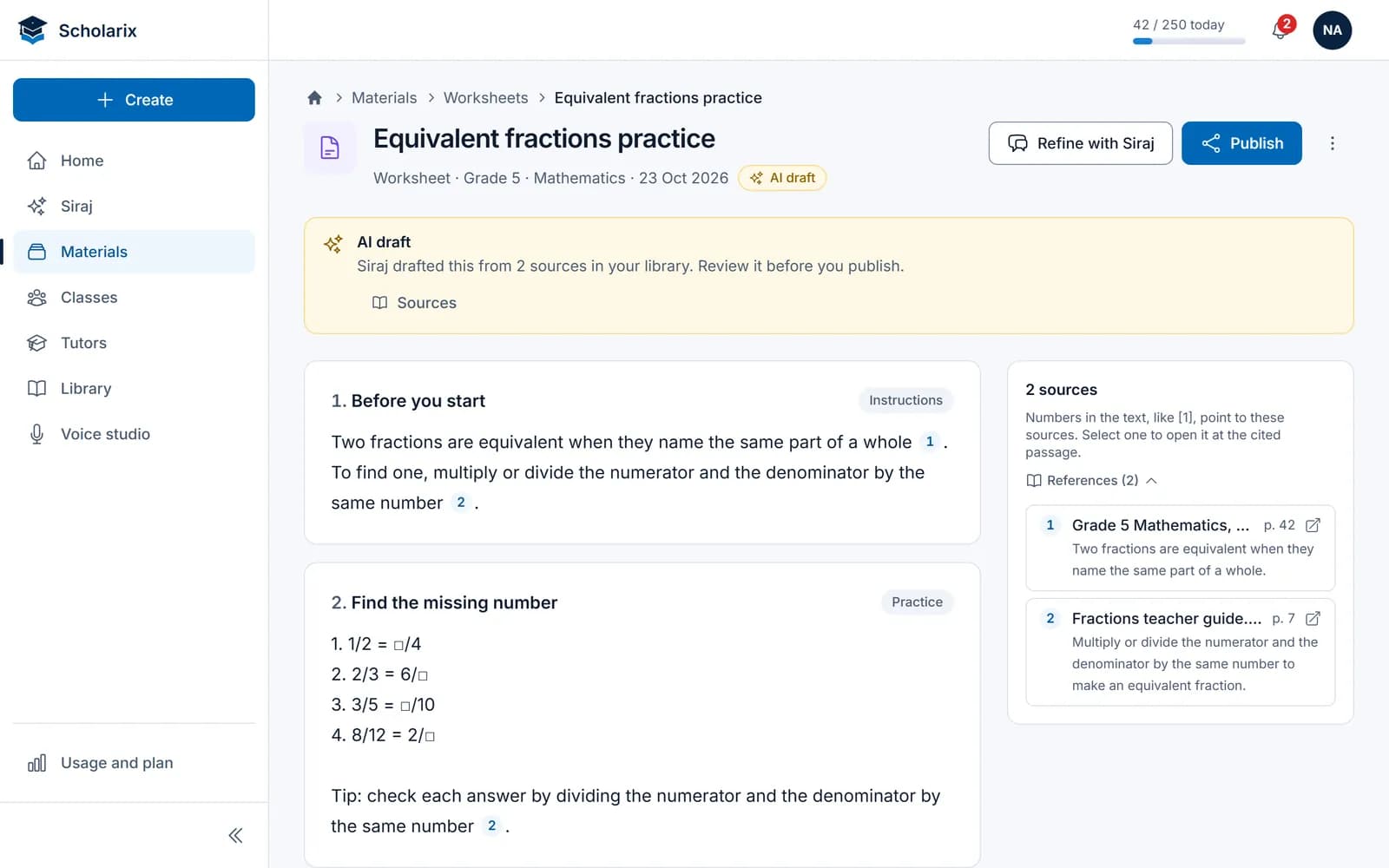
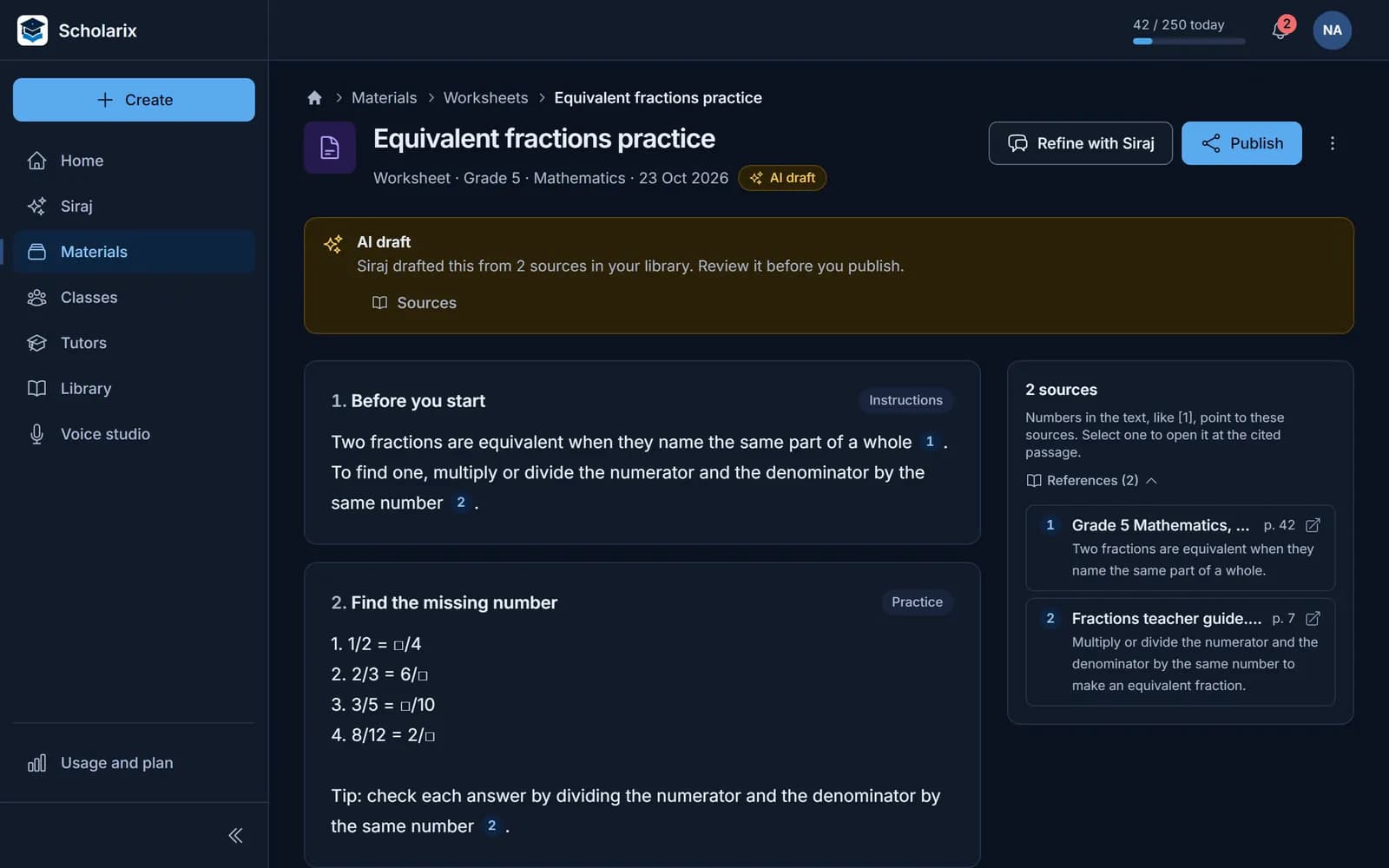
Every draft starts from your curriculum
Siraj writes from the documents in your library and numbers its sources, so you can check any line before you publish.
- Labelled as an AI draft until you publish it
- Numbered sources beside the text
- Publish to a class when it's ready
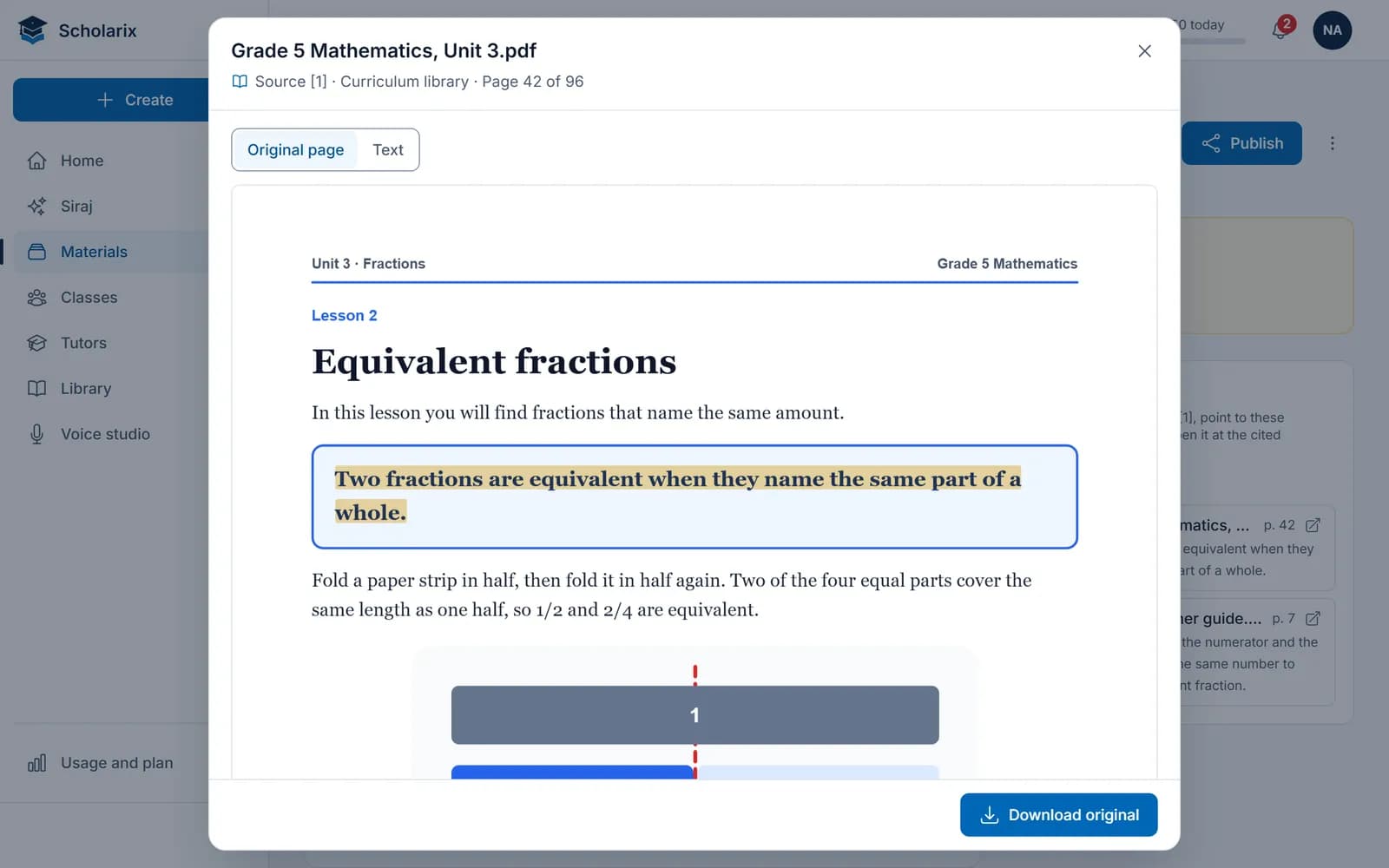
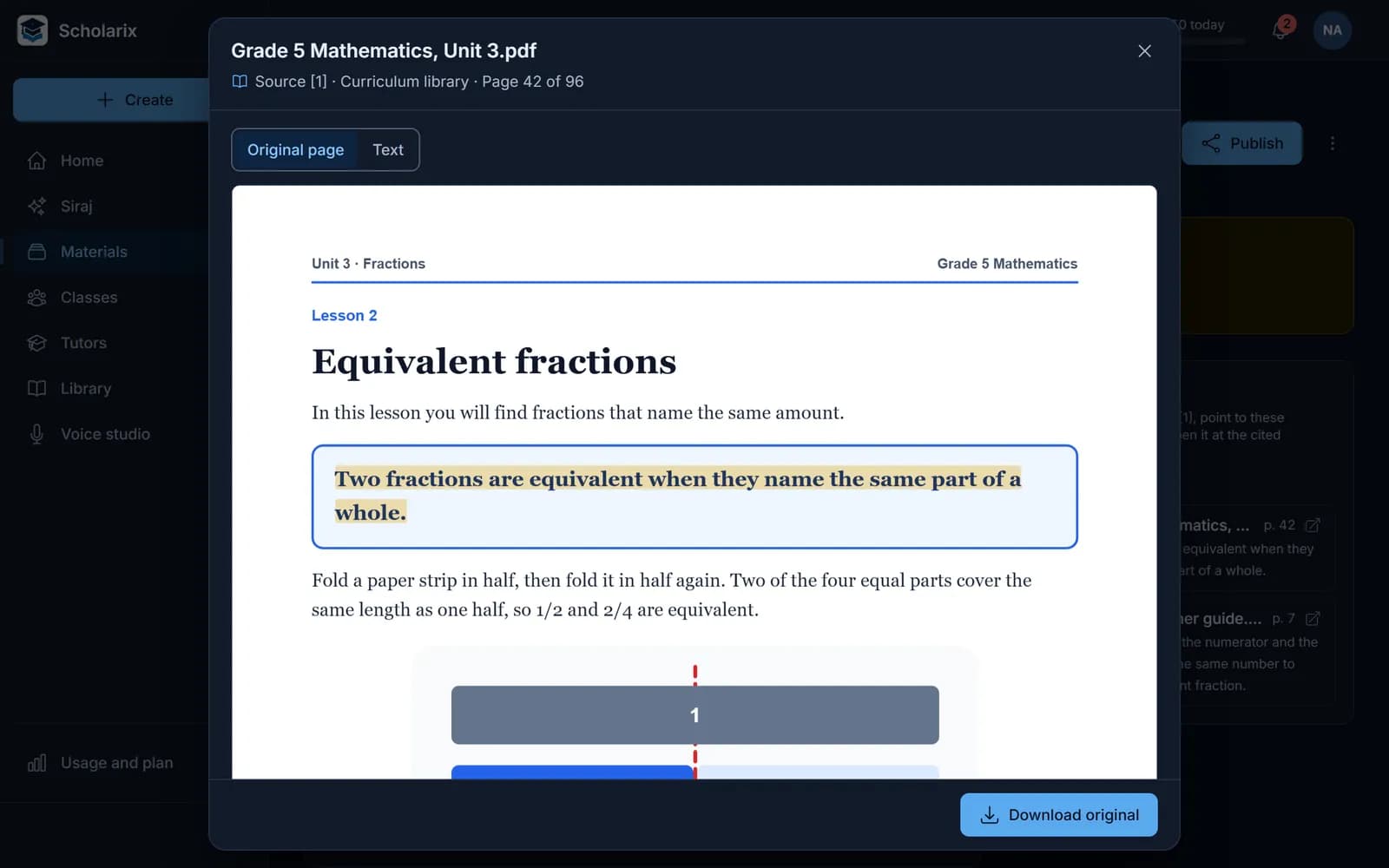
Open a source at the cited passage
Select a number and the source opens on its page, with the cited sentence highlighted.
- The cited sentence, marked on its page
- Download the original
- Students see the source and page
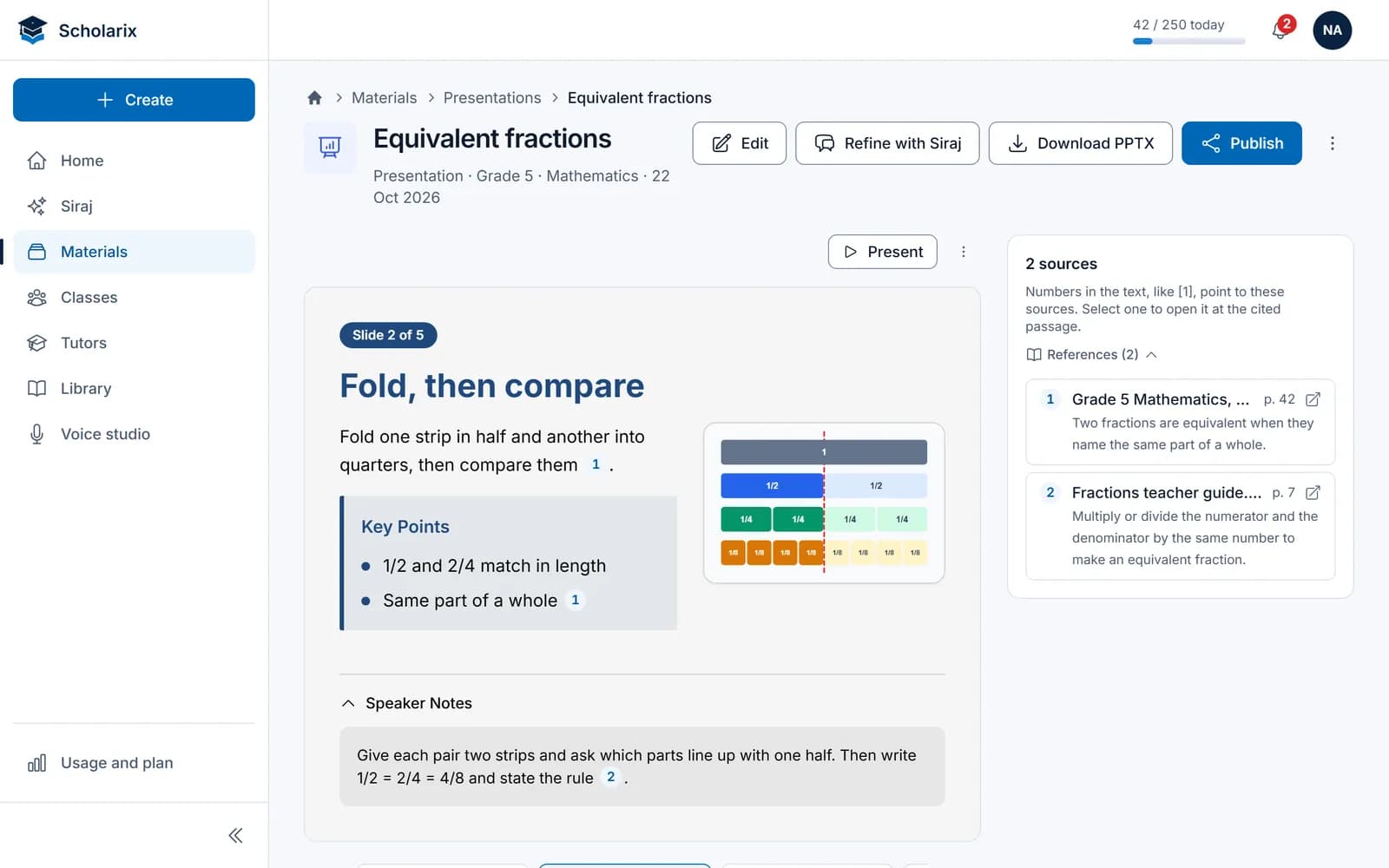
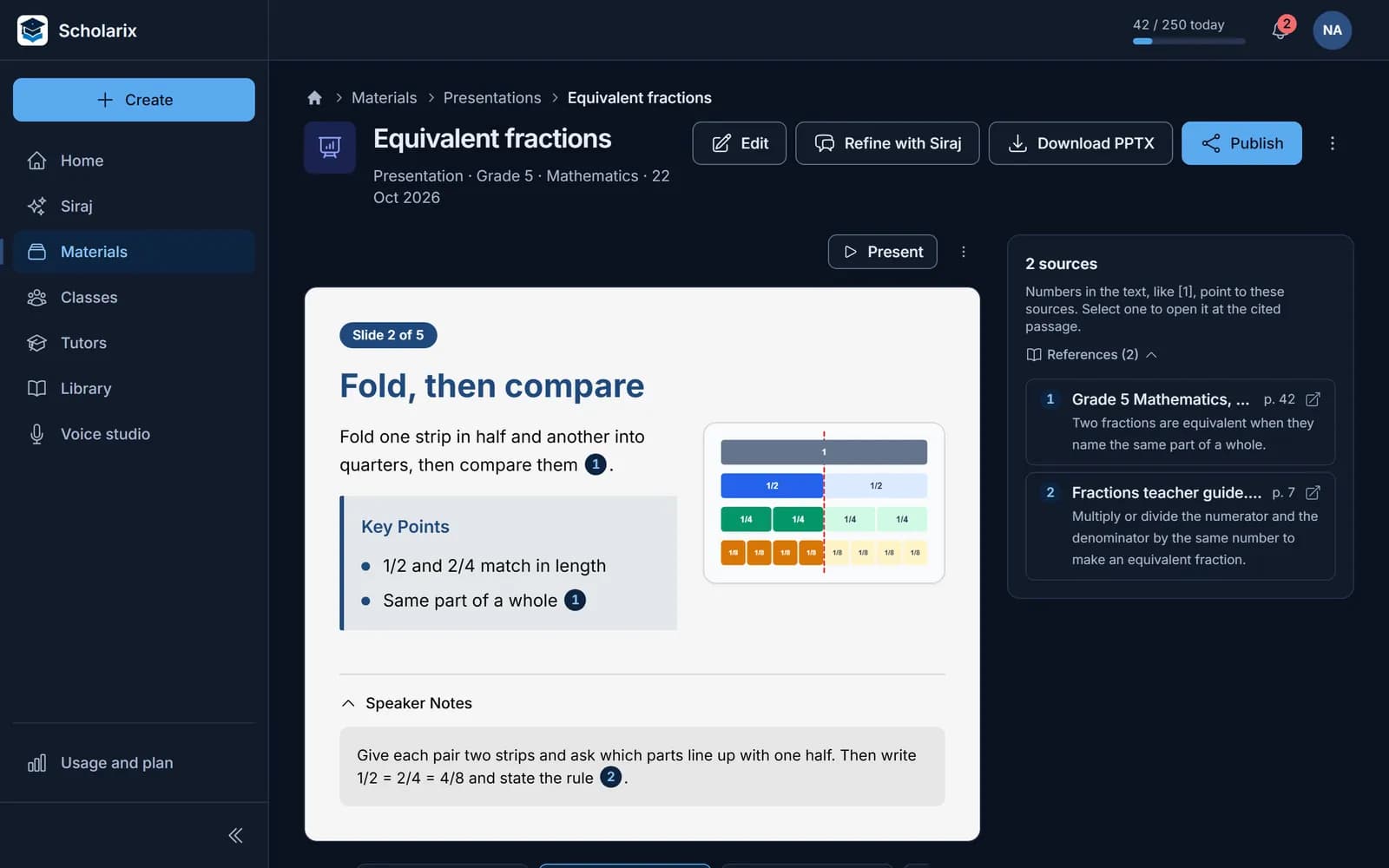
Slides with speaker notes, ready to teach
Turn a topic into a deck with notes for you, then export it as a .pptx file or present from Scholarix.
- Five built-in themes
- Right-to-left slides in Arabic
- A student version without your notes
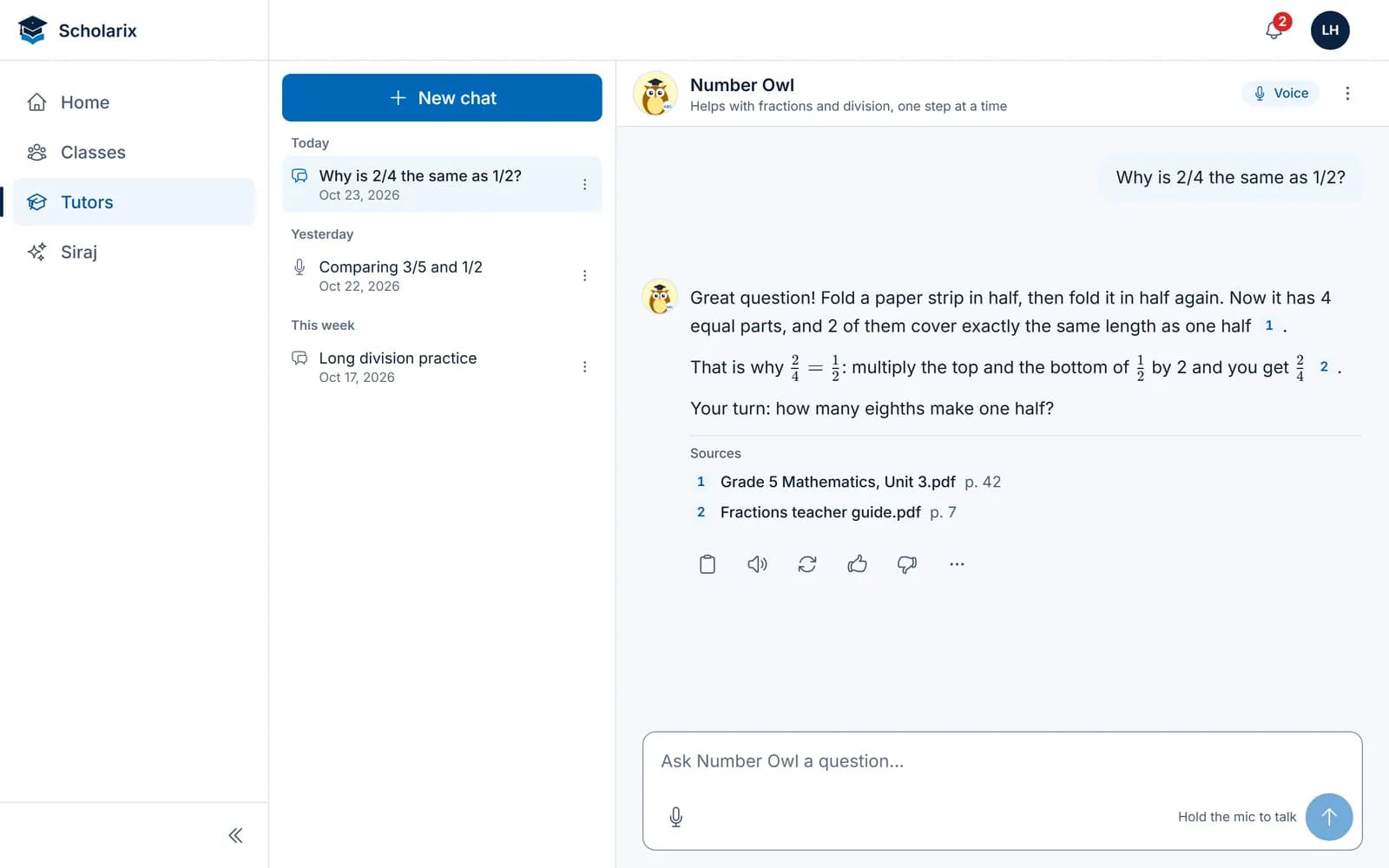
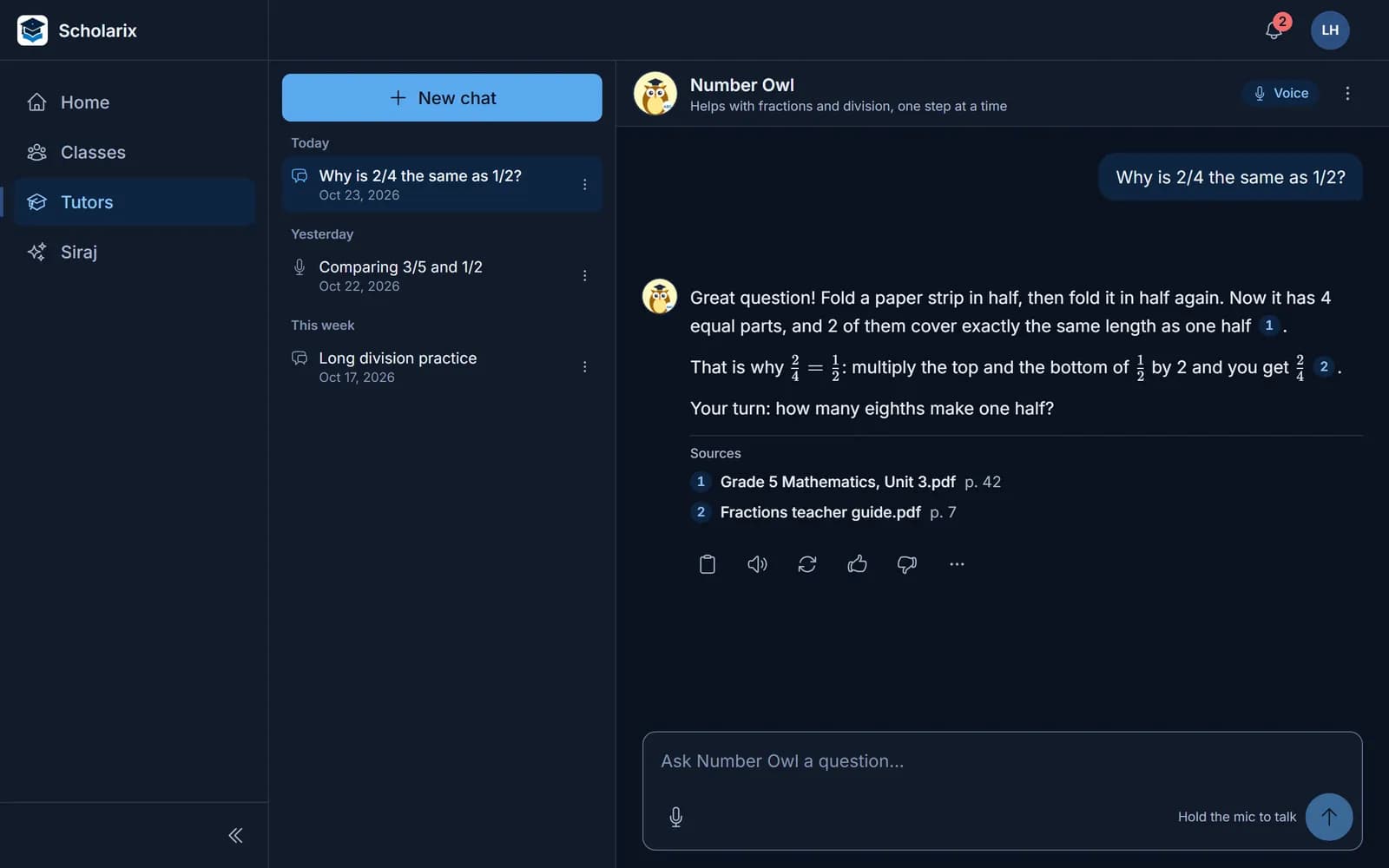
A tutor that answers from your material
Students ask by text or by voice, and every answer shows where it comes from.
- Built from the files and pages you choose
- English and Arabic, typed or spoken
- Students only get the version you publish
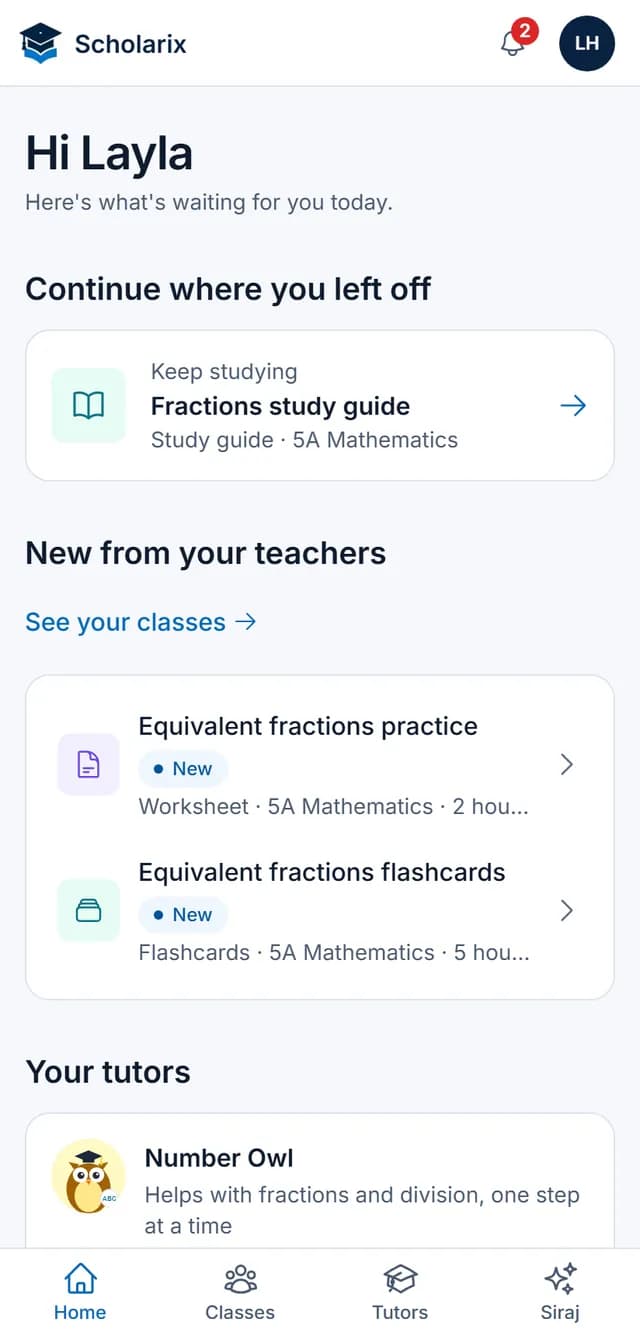
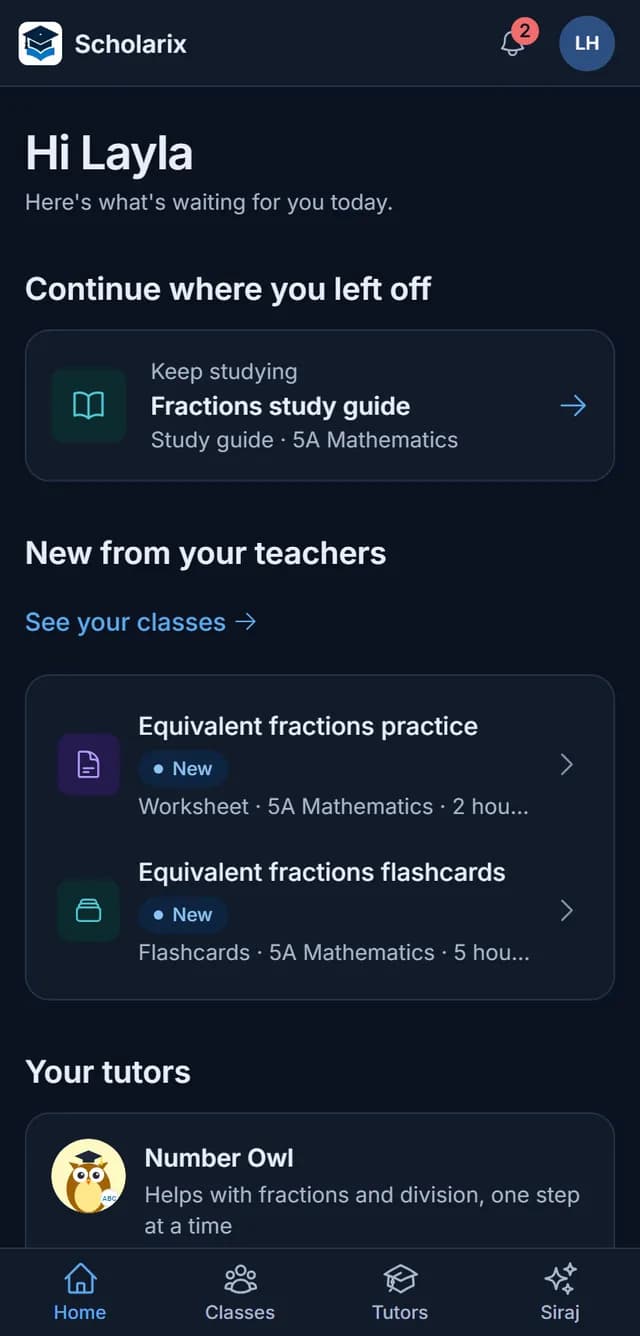
One next step for every student
Students open the app on their phone and see what to continue, what's new from their teachers and their tutors.
- Only what their teachers published
- Plain words, made for phones
- Join a class with a code
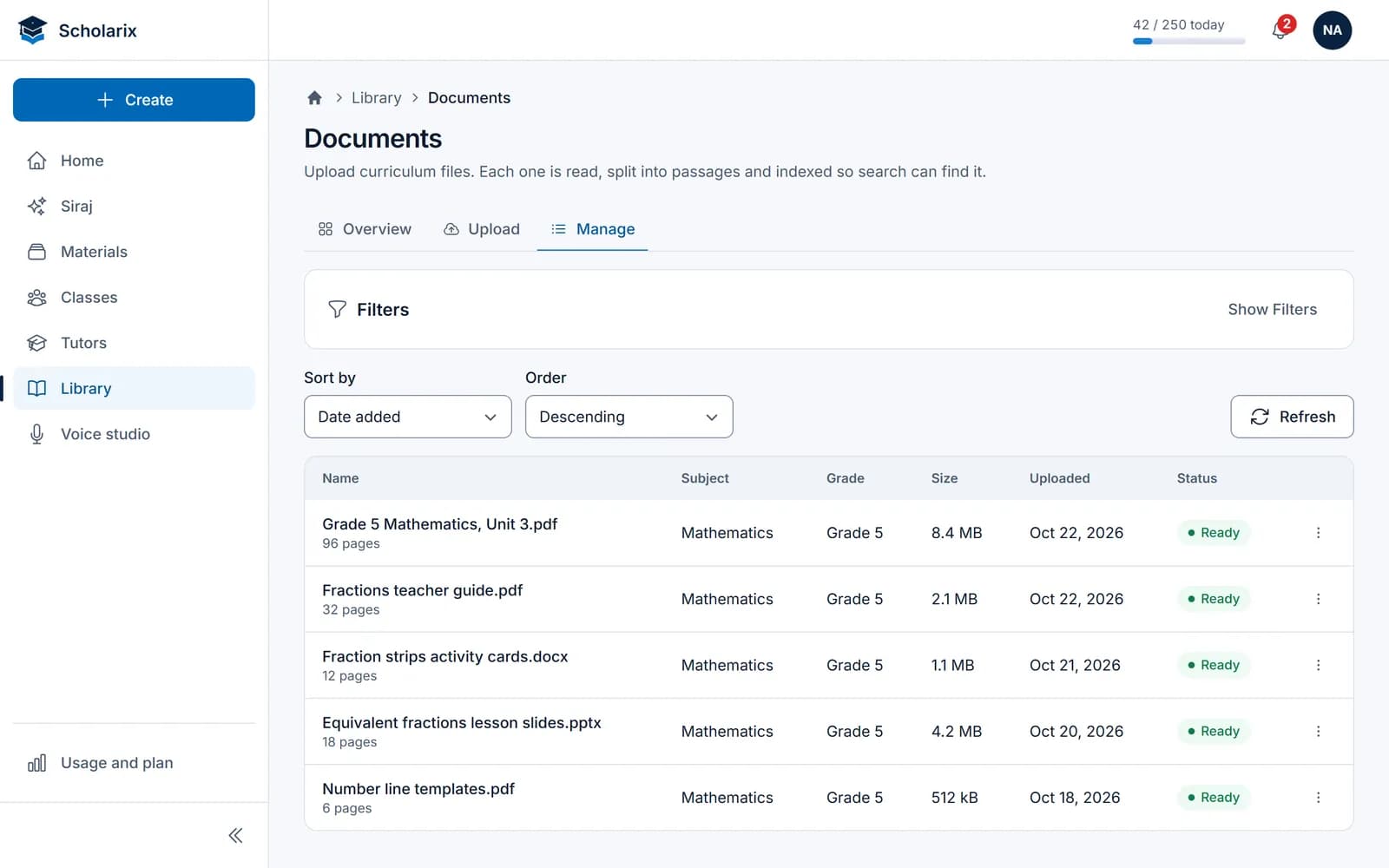
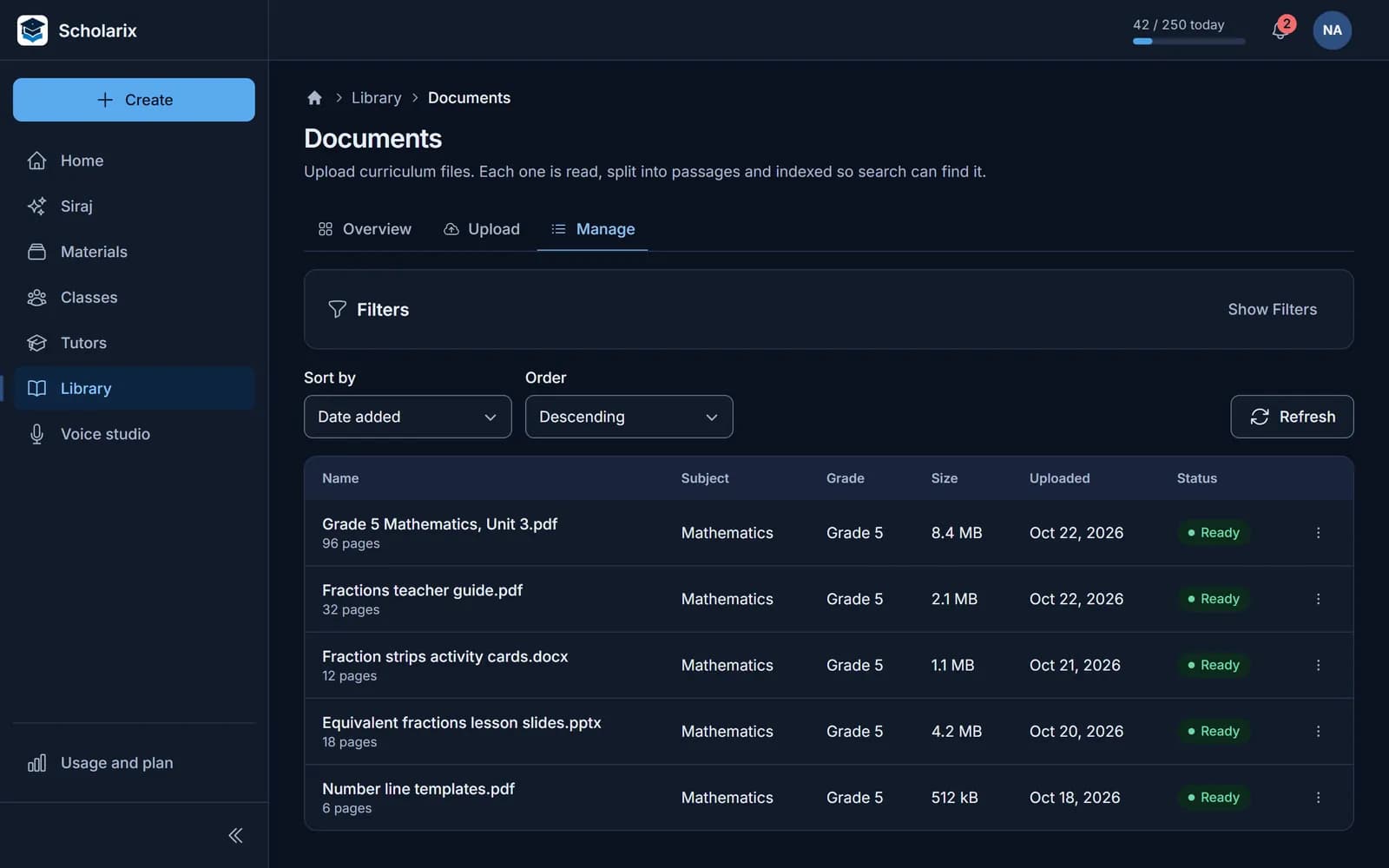
Your curriculum, in one library
Upload textbooks, worksheets and guides once. Every tool, and every tutor you allow, draws on them.
- PDF, Word, PowerPoint, Excel, CSV and text
- Video, YouTube and audio, transcribed
- Web pages, one link or a list
What you can make
Eight kinds of material, one way of working
Every generator starts from your curriculum, cites its sources and arrives as a draft you review.
Plan and teach
Practise and assess
Study and revise
You stay in charge
AI drafts. Teachers decide.
Nothing reaches a student until a teacher publishes it, and every answer shows where it came from.
- AI draft
- You review and refine
- You publish to a class
- Students see it
Tutors are published as versions. Every published version is kept, and a new draft can start from an earlier one.
Students get
- The material their teachers published
- Tutors that answer from class material, with sources
- Revision tools: questions, flashcards and study guides
Students don't get
- The teacher's generators for lesson plans, worksheets and slides
- The full text of a cited source, only its name and page
- Anything a teacher hasn't published
English and Arabic
Arabic and English from the first line
Teach in either language, or both. Choose the language of each material, whatever the language of the interface.
- The whole app in Arabic and English
- An output language for every material
- Slides that export right to left in Arabic
- Voice in both languages
Equivalent fractions practice
Grade 5 · Mathematics
Siraj drafted this from 2 sources in your library. Review it before you publish.
- 1Write two fractions that are equivalent to 2/3.1
تدريب على الكسور المتكافئة
الصف الخامس · الرياضيات
كتب سراج هذه المسودة من مصدرين في مكتبتك. راجعها قبل النشر.
- 1اكتب كسرين مكافئين للكسر 2/3.1
Join the beta
We're working with a small group of teachers and schools. Join to use Scholarix on your own curriculum and tell us what you need next.
Questions